Eva runs the Macs, the mail, the backups and the support desk for Mac-first businesses and the IT teams that look after them, in one place, in plain English. Every number on this page is live from the fleets Eva looks after today.

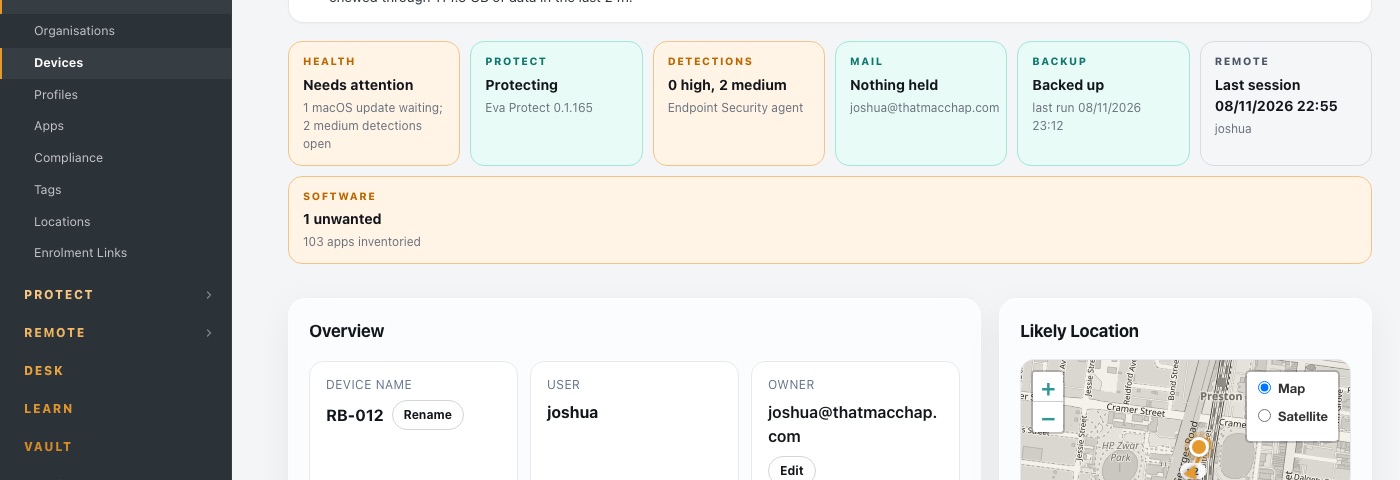
One Mac in Eva. A sentence that says how it is doing, then health, Protect, detections, mail, backup, remote and software, each in words, each a link.
Companies running on Eva have passed the security assessments and supplier audits required to win and hold work with:
Each product is a page in the same console, scoped to your company, with an engineering layer underneath that THAT MAC CHAP runs for you.
Zero-touch enrolment, profiles, apps, updates, compliance, in one place.
DNS filtering with Block, Warn and Watch, endpoint detection, browser extensions, mail watch.
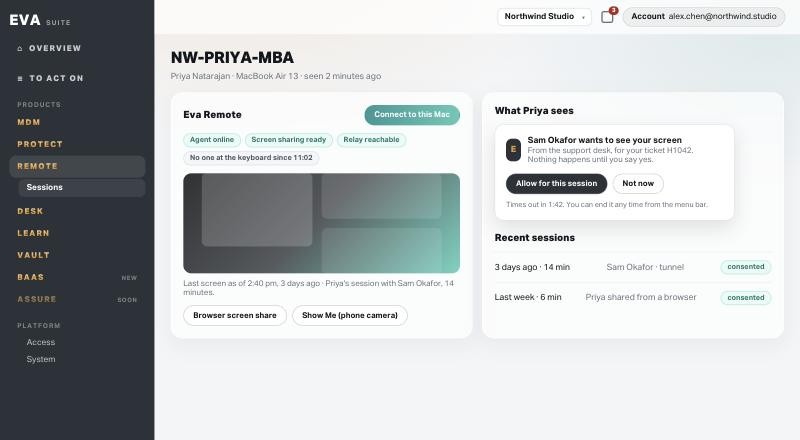
One click from the ticket to the screen, with consent on the Mac.
Tickets, approvals and the mail watch, under your own name.
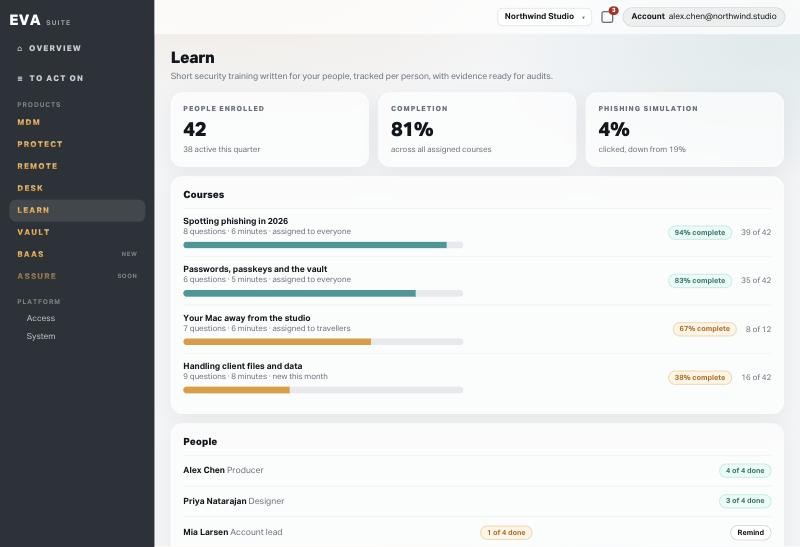
Questions written for your people, tracked per person.
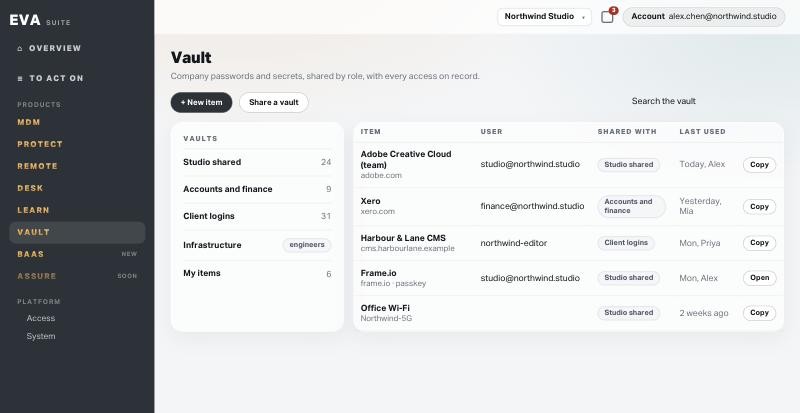
Company credentials with access by role, not by Slack message.
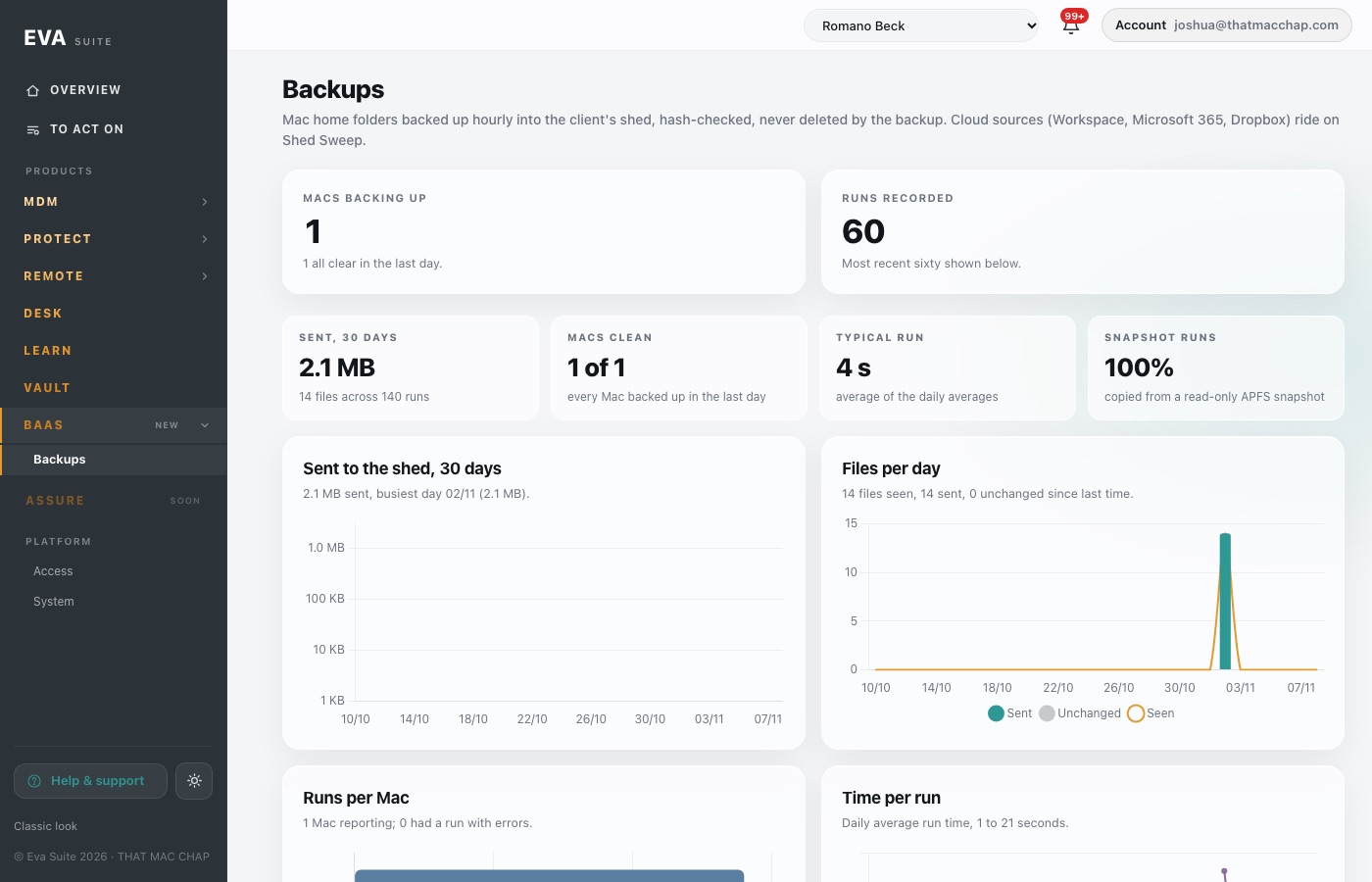
Hourly, hash-checked, never deleted by the backup.
Cyber Essentials, ISO 27001 and supplier questionnaires from live data.
Every screen below is Eva as it runs today. Plain words, one place, nothing to decode.
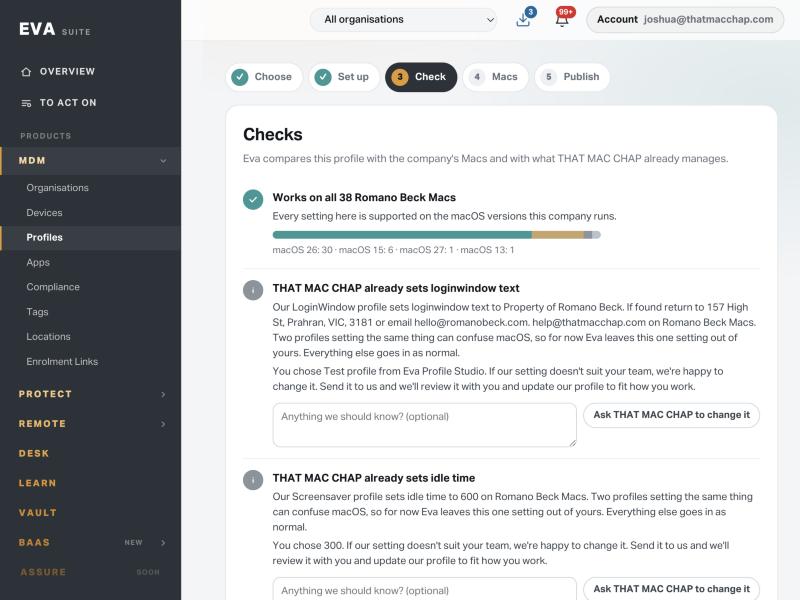
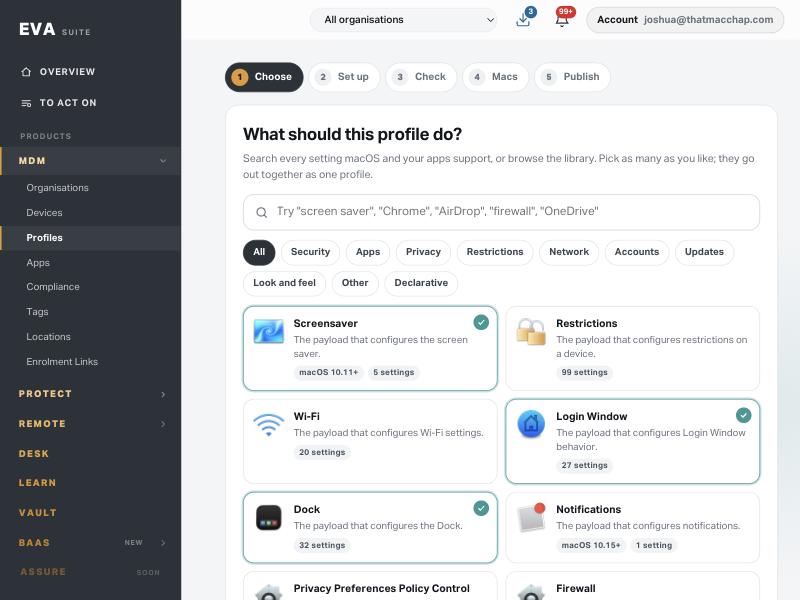
Search every setting macOS and your apps support, or browse the library with the app's own logo. Pick as many as you like; they go out together as one profile, written in plain words, with a readable name and description.

Eva compares the profile with the company's real Macs and with what THAT MAC CHAP already manages: macOS versions, supervised-only settings, and settings our own profiles already set. A clash is left out, explained kindly, with a one-click ask to change our side.

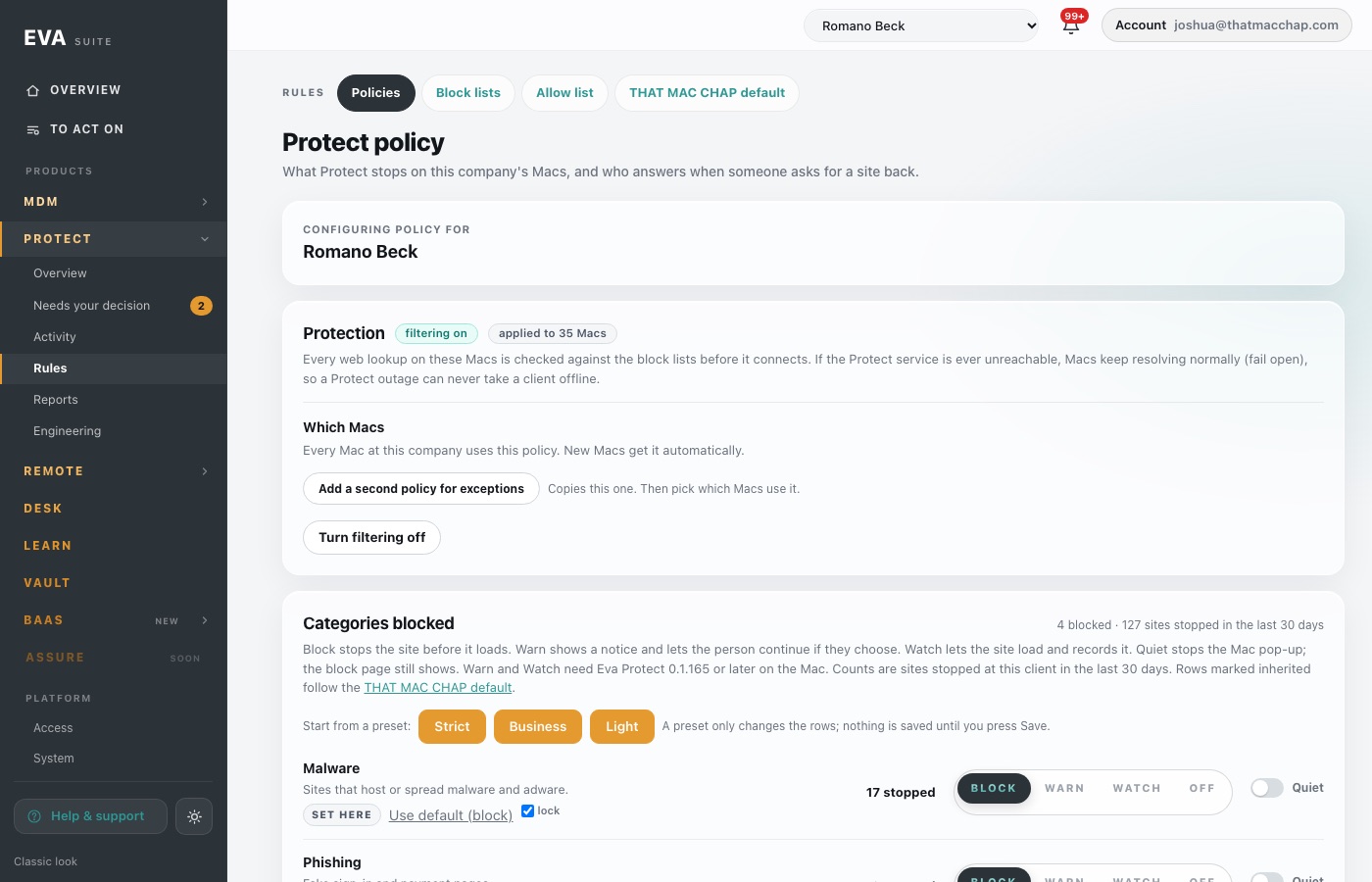
Every category has four states. Block stops the site. Warn shows a notice and lets the person continue until midnight, with the approver told. Watch lets it load and counts it. Quiet keeps the Mac pop-up away. Presets, locks, a tester and a history card with who, when, why and Revert.

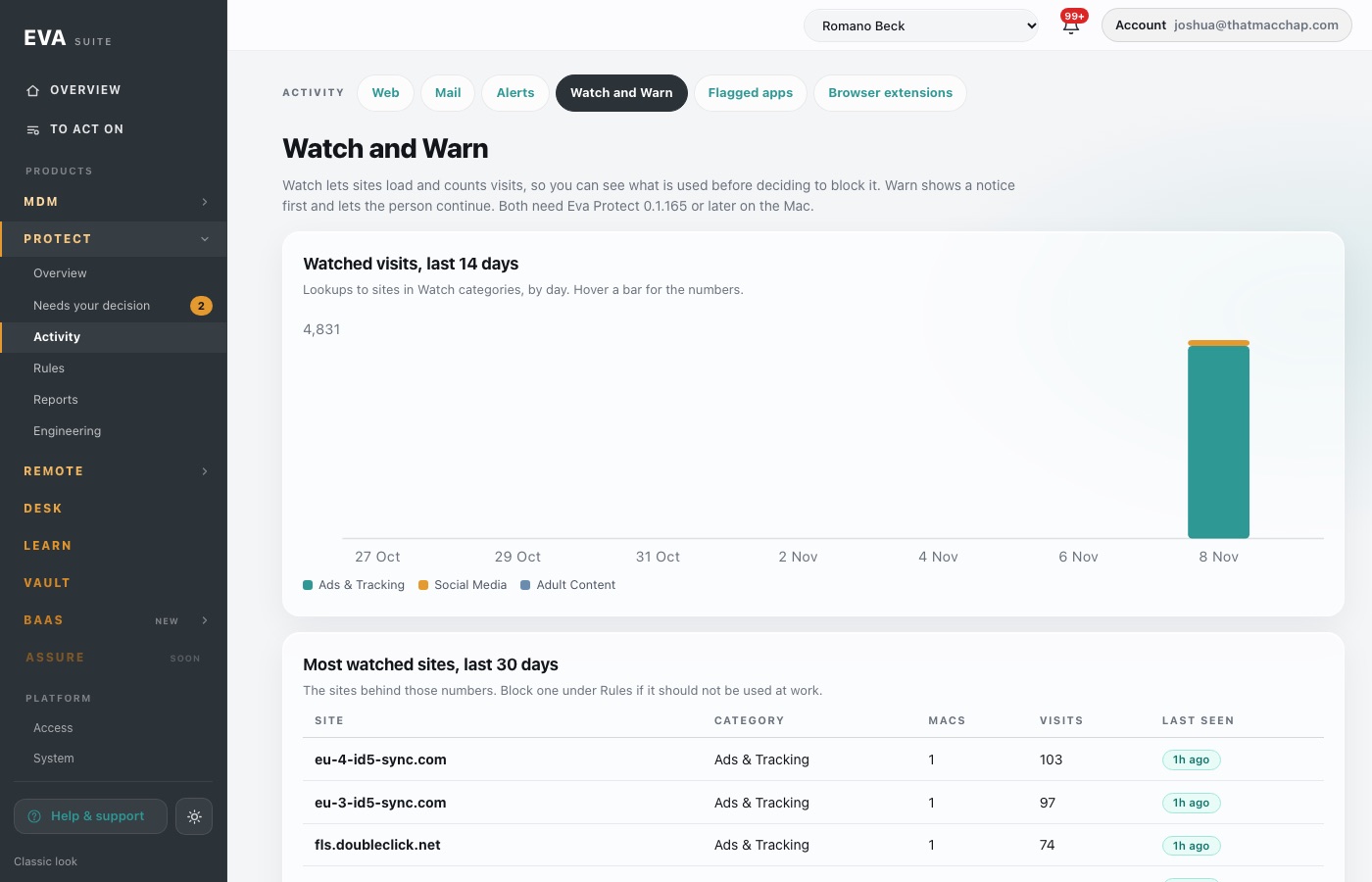
Watched visits by day and category, the sites behind the numbers, who continued past a warning and until when, and whether each Mac's protection is intact. Report only; Eva never locks people out.

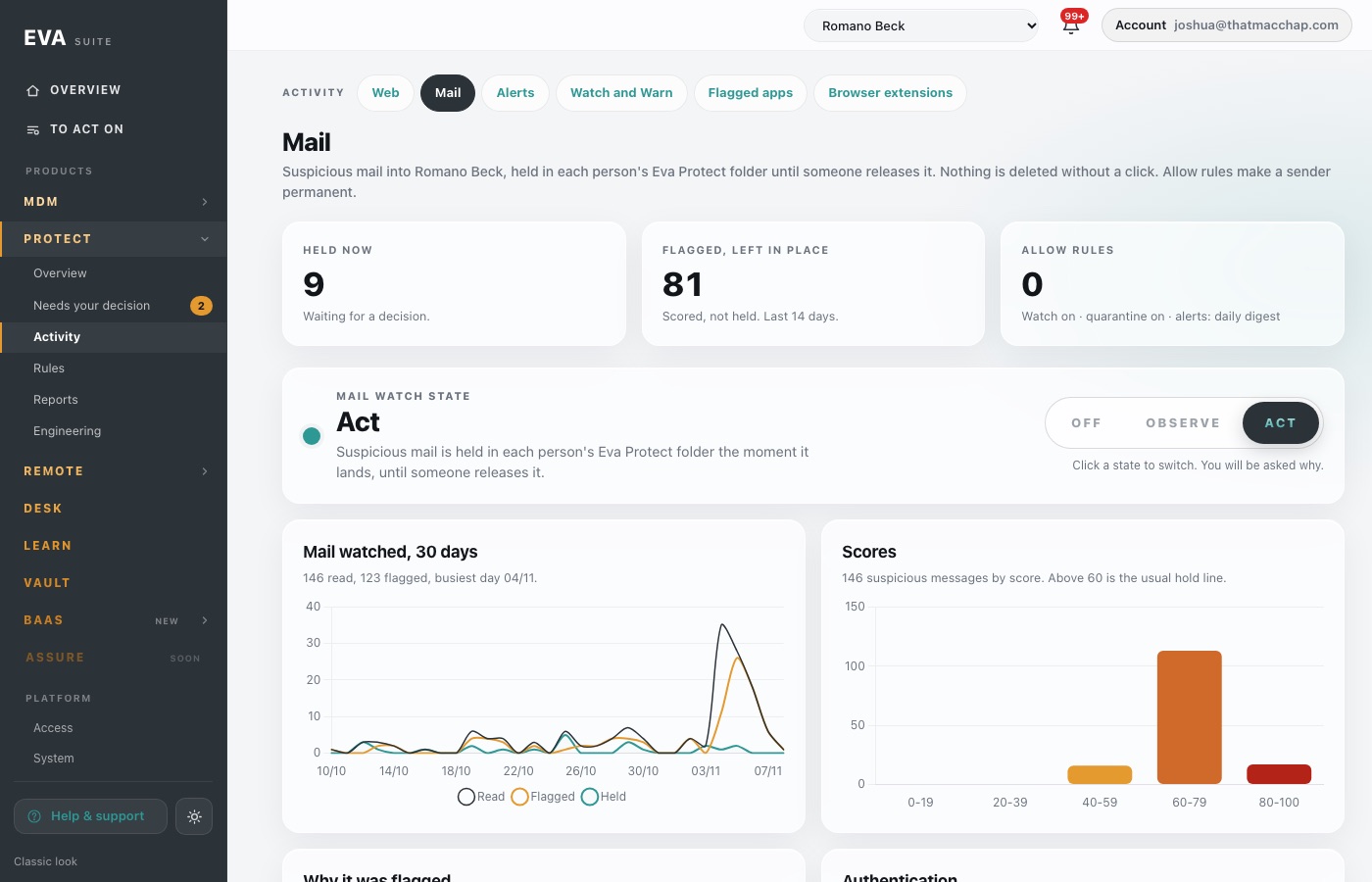
Every mailbox is watched. In Act mode suspicious mail is held in the person's Eva Protect folder the moment it lands. In Observe mode it is only listed. Switching is one click and a typed reason.

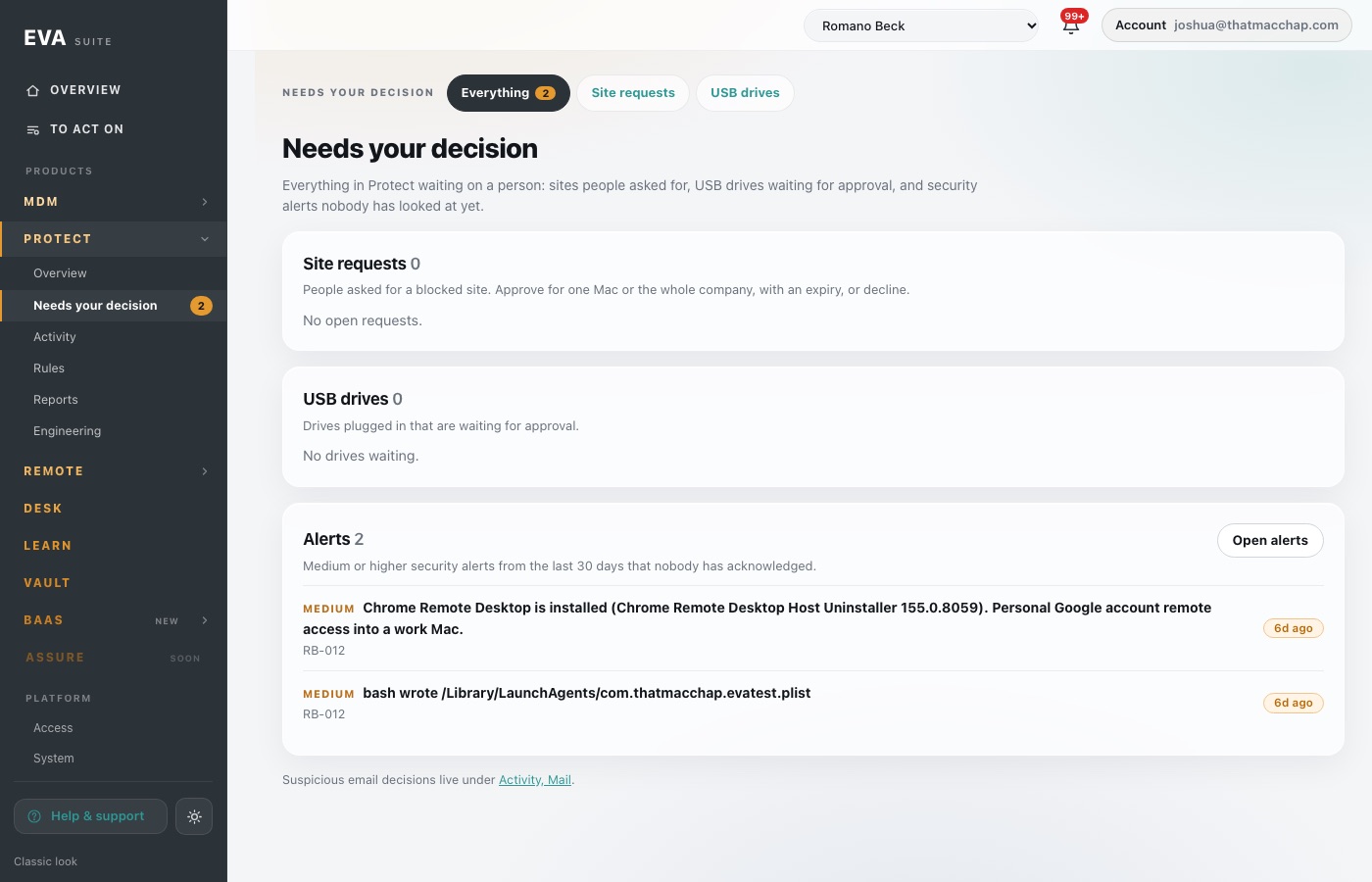
Site requests from the block page, USB drives waiting for approval, and security alerts nobody has looked at yet. Each one opens where it is decided, and the count sits on the menu so nothing waits unseen.

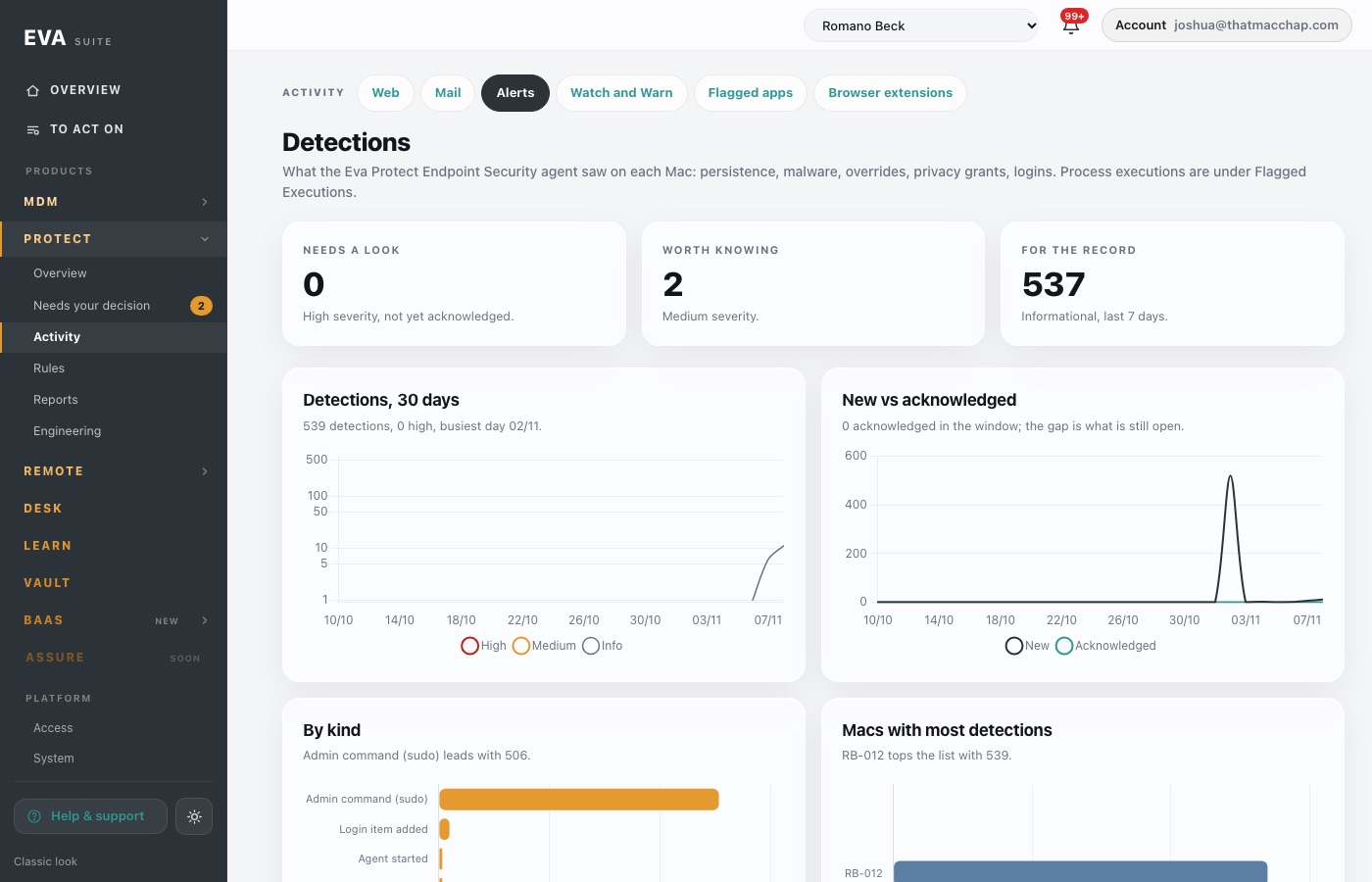
An Endpoint Security agent on every Mac reports persistence, login items, Gatekeeper overrides, privilege grants and mass file changes. Each one becomes a case with an owner, a status and notes, so nothing is acknowledged into the void.

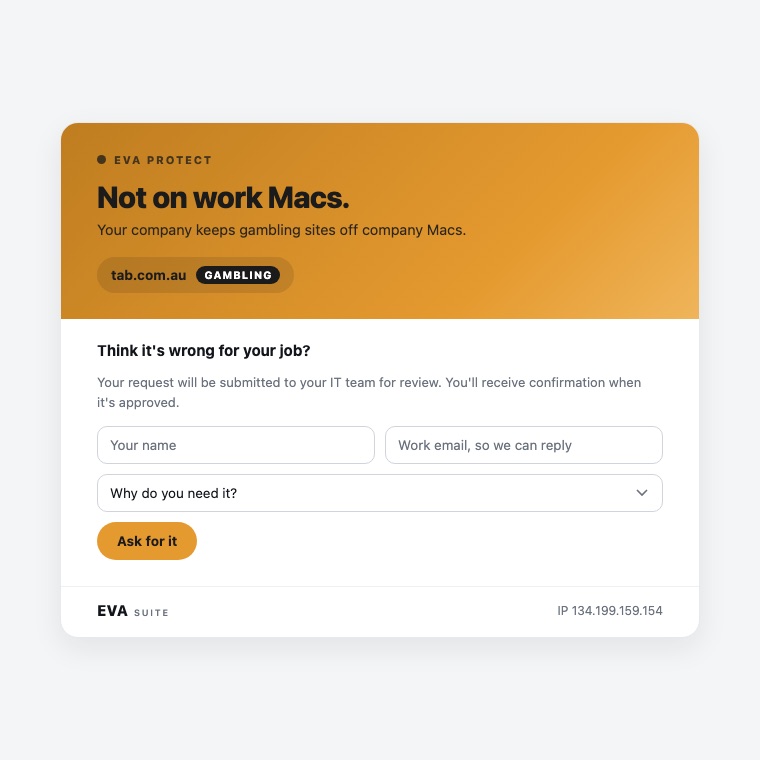
Stopped before it loaded, which rule it matched, and a short form: name, work email and why. The request goes to the right approver for that company, and when allowed the site just starts working, no restart.

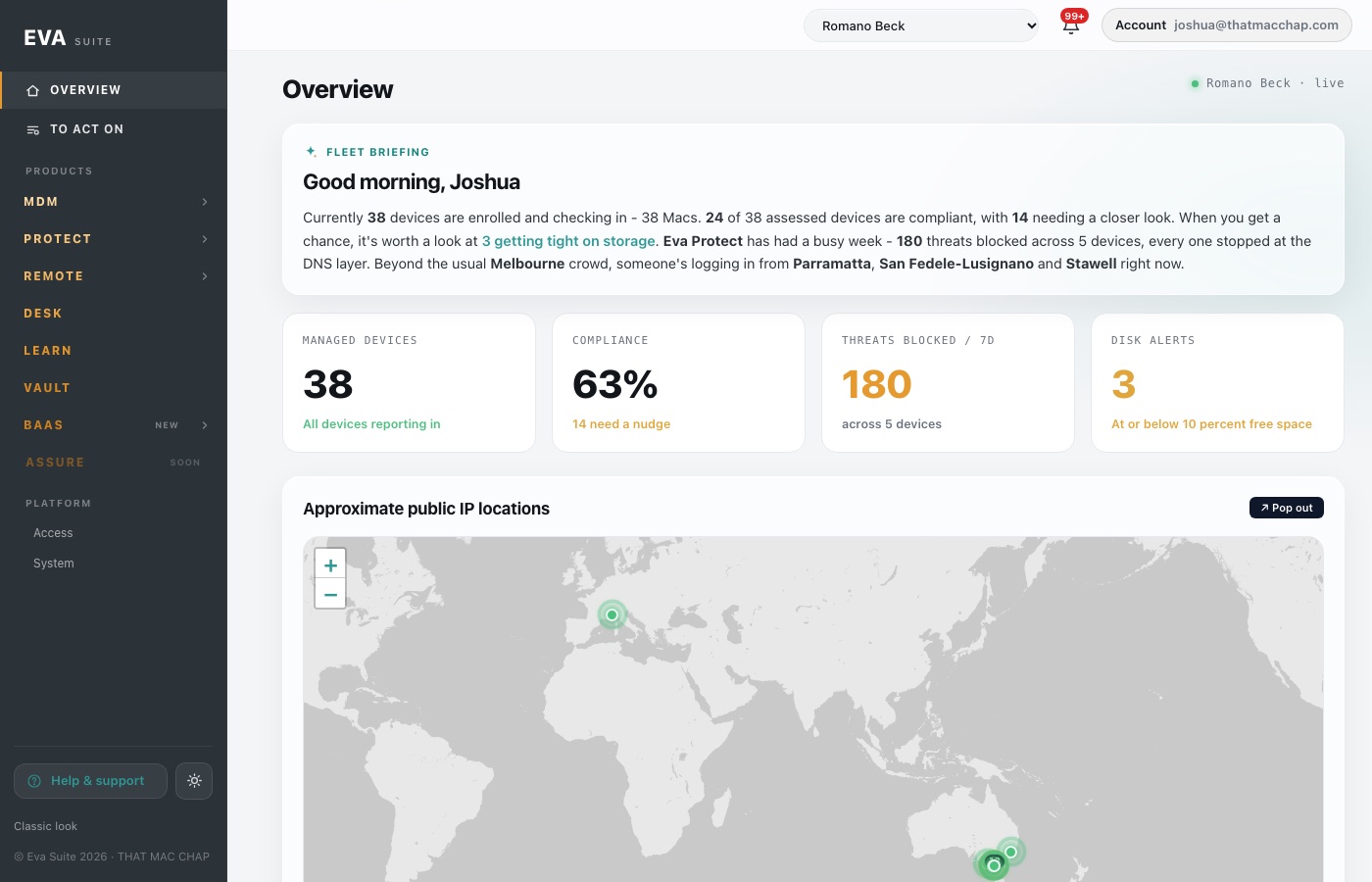
A fleet briefing in a sentence, then Macs, compliance, threats and disk, where everyone is signing in from, and trends on every product page, so a trend is a glance, not a report.

Home folders of the people who matter go hourly into your company's shed, hash-checked, never deleted by the backup. Bytes, files, run times and state, charted.

One click from the ticket to the screen. The person sees who is asking and why, and nothing happens until they say yes. Readiness is shown before you connect, and the last screen is remembered with the time it was seen.

Courses of six to nine questions, written for the people who run your business, tracked per person and per team, with the evidence an assessor asks for ready to export.

Company credentials in vaults by team and client, opened with the work account people already have, with every use on record and access reviewed when someone leaves.

Eva was built for companies without an IT team. It works just as well for the ones that have one.
An hour with THAT MAC CHAP on your fleet, your mail and what you need to prove. You leave with a plan and a price.
Apple Business Manager and your identity provider connect; Macs enrol themselves. Mail watch starts in Observe so you see before anything is held.
You get the console and a weekly report in plain words. The engineering layer is run for you: updates, detections, requests, backups.
A technical walkthrough on your estate, with the people who built it. No slide deck.